
Waukesha County Civil Docket Searches
Wisconsin Circuit Court Access is known as WCCA. It gives free public case information for any Waukesha County circuit civil case. The exact case number is your best search term. Civil numbers usually carry the code CV, and small claims use SC. Searching by name? Try an indexed party name or a business name. Choose Waukesha County first. Then confirm the case type, filing date, status, and caption before you trust a result.
WCCA is only one channel, however. The Waukesha County Clerk of Circuit Court keeps the official case record. Its Civil Division offers a counter and a public-access computer. Staff also take phone, fax, and mailed requests under the county process. County email addresses are for questions only, not filings. Court records are not normally sent by email. Attorneys and registered parties file through Wisconsin Circuit Court eFiling and can view permitted documents there. Just know that eFiling is not a public search site.
- Open WCCA and accept its public-access terms.
- Select Waukesha County, then search the full civil or small-claims case number.
- If no number is known, search the indexed party or business name and narrow by type and date.
- Match the caption, filing date, branch, and status before opening the event history.
- Note the exact document and filing date, then contact the Civil Division if the summary is not enough.
Waukesha Civil Search Fields
The WCCA form accepts several clues. Filling in more fields will not always sharpen the docket search. Begin with a full case number if you have it. For a name search, enter the name as it was likely indexed. Pick Waukesha. Add a date or case type only if the first result set comes back too broad. Judgment research has its own separate search route. Advanced controls may also accept an attorney or State Bar number.
| Field | Use in a Waukesha civil search |
|---|---|
| Case number | Best route for an exact YYYYCVNNNNNN or YYYYSCNNNNNN match |
| Party name | Finds plaintiffs, defendants, petitioners, or respondents as indexed |
| Business name | Locates a company that is a named party |
| County and case type | Limits a statewide list to Waukesha civil or small-claims matters |
| Status and dates | Narrows open, closed, disposed, reopened, or date-based results |
A blank result can mean several things. The spelling may be off, or the filing too new. The case may be restricted. Or the court is simply wrong. City ordinance forfeitures sit with municipal courts unless they get transferred or appealed. Money claims and evictions travel the circuit civil route instead. Keep the case number handy for any clerk inquiry.
Civil Dockets: What They Show
Read a Waukesha County civil docket as a sequence. The header tells you which case it is and where it is assigned. Party roles show who sued and who answered, never who won. From there, the event list tracks the rest. It covers pleadings, service, motions, hearings, orders, the judgment, and post-judgment work. No single entry carries the full legal effect.
| Case header | Waukesha County, case number and type, filing date, branch or official, status, and caption. |
|---|---|
| Parties | Plaintiff, defendant, petitioner, respondent, added parties, and counsel where public. |
| Procedure | Complaint, service, answer, counterclaim, appearance, amended pleading, and other filed events. |
| Motions and orders | Motion filing, hearing, scheduling conference, stipulation, and signed-order references. |
| Settings | Date, time, courtroom, assigned official, event type, and any reset history that is published. |
| Result | Dismissal, default, settlement, judgment, satisfaction, appeal, or reopened activity. |
An entry naming a complaint, exhibit, order, or judgment is a line on the docket, not the paper itself. Ordinary WCCA access does not give the public every eFiled image. Use the event title and date to ask the Civil Division for the right document.
Waukesha Docket Versus File
The docket and the case file answer different questions. WCCA tells you what happened and when. The clerk's file holds the actual pleading, order, exhibit, or judgment. A WCCA printout is not a certified judgment. An entry noting a signed order does not reveal every term inside it.
Want a copy? Start with the case number and the exact item. The Civil Division counter accepts requests, as do written mail, phone, and fax under division rules. Payment comes first for phone or mail processing. A mailed request should carry your contact details and a self-addressed stamped envelope. If you need no copy, public inspection on the division computer works well. Records stored off-site are normally retrieved within 72 hours at no charge, while emergency retrieval carries its own published fee.
Testimony moves through a different door. A transcript request goes to the court reporter listed for the assigned branch, and the Waukesha transcript instructions walk through that process. Knowing the difference keeps your request from stalling at the wrong desk.
What Cases Fill the Civil Docket
The Waukesha Civil Division handles far more than small claims. Broad civil work lands here too. The local routing page separates lawsuits under and over its listed small-claims threshold, though current Wisconsin law and the current forms control the correct procedure. Family matters, probate files, and juvenile cases have their own divisions and privacy rules. They are civil in nature.
| Civil track | Common docket activity | Local route |
|---|---|---|
| General civil | Complaint, service, answer, motions, scheduling, trial, and judgment | Civil Division and assigned circuit branch |
| Small claims | Claim, service, commissioner hearing, default, trial, and judgment | Civil Division and Small Claims Calendar Clerk |
| Eviction | Complaint, return date, hearing, judgment, and post-judgment action | Small-claims procedure through Civil Division |
| Judgment work | Docketing, transcript, lien, garnishment, execution, and satisfaction | Clerk record and judgment index processes |
| Injunction or name change | Petition, notice, hearing, and order | Division route shown by county forms and case type |
You may also spot foreclosure, replevin, garnishment, liens, restraining orders, and post-judgment actions on the civil docket. A Waukesha street address in the parties' details does not convert a circuit civil claim into a municipal one. Municipal courts handle ordinance and municipal-traffic forfeitures, not ordinary private money claims.
Waukesha Civil Division Boundary
You will find the Civil Division in Room C-167 at the Waukesha County Courthouse, 515 W. Moreland Boulevard, Waukesha, WI 53188. Mail should go to P.O. Box 1627, Waukesha, WI 53187-1627. Call the information line at 262-548-7525 or fax 262-548-7546. Stated hours run 8:00 a.m. to 4:30 p.m. Monday through Friday. The official Civil Division source lays out the court's forms and local routes.
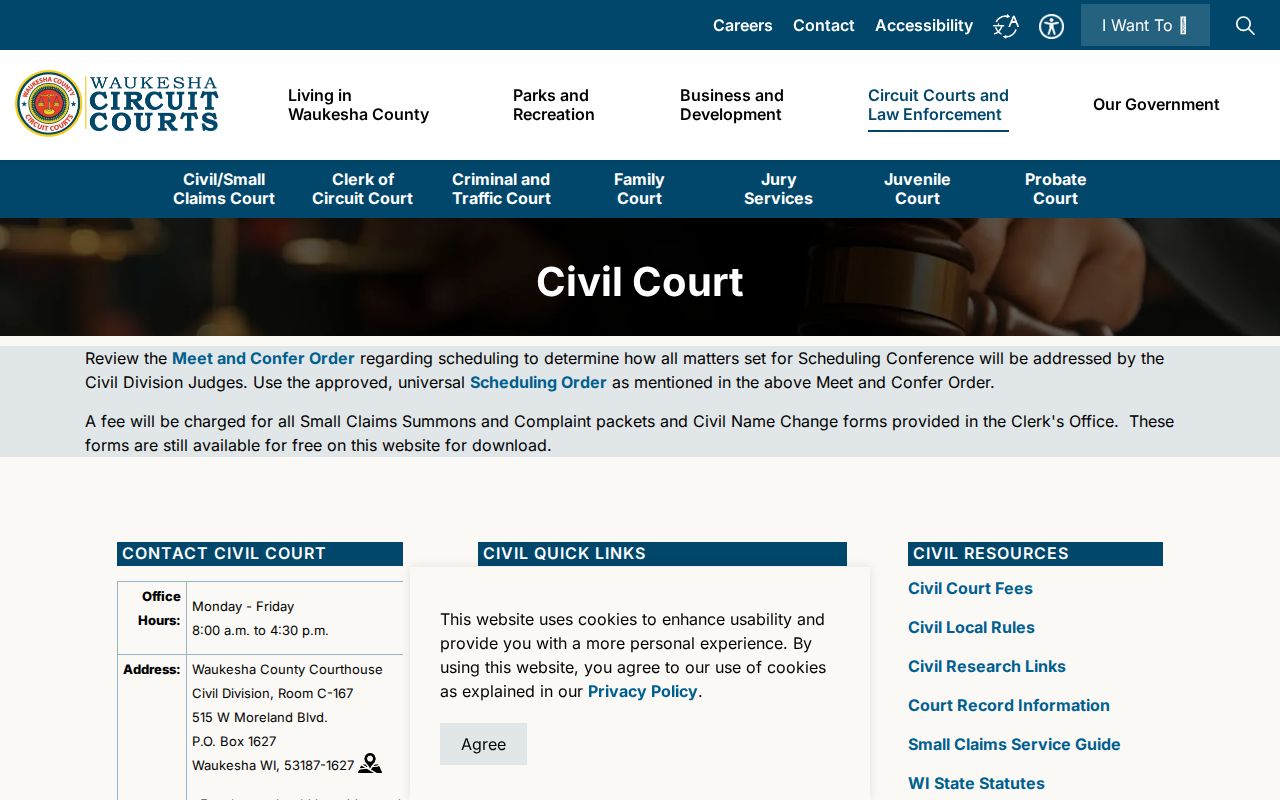
That page helps you confirm the right county office, but check current instructions before you file or visit. Email can settle a routing question. It cannot accept a filing. Formal submissions must follow Wisconsin eFiling requirements, current county forms, and the Waukesha civil local rules.
Civil Division
Room C-167, 515 W. Moreland Blvd.
Waukesha, WI 53188
262-548-7525
Small Claims Calendar Clerk inquiries use the same published number.
Hearings on the Civil Docket
A civil event on the Waukesha County docket can take several forms. It may be a scheduling conference, a motion hearing, a small-claims hearing, a trial, or a review down the line. The court publishes a Meet and Confer Order. It also publishes a universal Scheduling Order for certain civil work. Both are case-management steps, not rulings on anything.
Before you rely on any listed date, check the newest WCCA event. Compare it against the court official's calendar and the current notice. Older settings can sit in the chronology. They linger there even after a later entry continues, adjourns, or resets them. Small claims sometimes run on a commissioner calendar. The Small Claims Calendar Clerk may beat a branch phone line for answers. The Waukesha County court schedule lays out a fuller date-check sequence; confirm with the assigned office after that.
How you appear is a separate question. One calendar line rarely says whether the hearing is in person, remote, by phone, or excused. Read the order or notice that comes with the event. County courtrooms having remote-hearing technology does not mean you have permission to appear that way.
Waukesha Civil Judgment Clues
Do not treat a closed status as the last word. Later entries can appear on the Waukesha County civil docket. These include a transcript of judgment, a lien, garnishment, execution, satisfaction, appeal, or a reopening. Each one means something different. A judgment for a party is not a default judgment. A filed satisfaction belongs with the judgment it closes.
- Default judgment
- A judgment entered when a party did not respond or appear as required.
- Docketed judgment
- A judgment or transcript entered in the clerk's judgment records.
- Satisfaction
- A filing that records payment or discharge of a judgment to the extent stated.
- Reopened
- New action in a matter that had previously been closed or disposed.
For the exact effect of anything, get the signed order or a certified judgment. Waukesha charges $1.25 per page for plain civil copies. Certification runs $5 per document plus page charges. A staff-assisted search costs $5 per name. The county fee page adds separate charges for docketing, transcripts of judgment, and satisfactions.
Who Can See Civil Dockets
WCCA makes most public Waukesha County civil case information searchable, and the clerk lets the public inspect files unless a law seals them or makes them confidential. Access does not put every attachment online, though. Account, tax, identification, passport, and Social Security numbers must stay off public display. Family and juvenile material, along with other confidential records, faces extra limits.
Key Wisconsin access rules:
Wis. Stat. § 19.35 addresses inspection and copying of public records, subject to lawful limits.
Wis. Stat. § 801.19 protects specified personal identifiers in circuit filings.
Wis. Stat. § 801.21 provides the court process for sealing information or documents.
Only a judge can grant a motion to seal. The clerk will not pull public information just because it is inconvenient. A Waukesha County result may look limited. Ask which rule, case type, or order controls access. A precise request for a public document works far better than assuming the portal broke.
When Waukesha Filings Are Missing
Start by confirming the event actually exists in the Waukesha County civil docket. WCCA can show that a complaint, answer, motion, or order was filed. It may post no image of it, though. Ask the clerk for the item by name and date. A missing whole case calls for other moves: retry the exact number, loosen the party-name search, check the county, and ask whether the matter really sits in small claims, family, probate, juvenile, municipal, appellate, or federal court.
Older paper may live off-site. Ask about the retrieval window before you travel. A date that looks wrong deserves a comparison. Check the latest event, the current notice, and the assigned calendar. For a certified product, say so up front, since a WCCA printout and a clerk-certified copy are not the same thing. Those checks keep a docket search aimed at the record that truly answers the question.